The audience detail view
Last updated 6 months ago
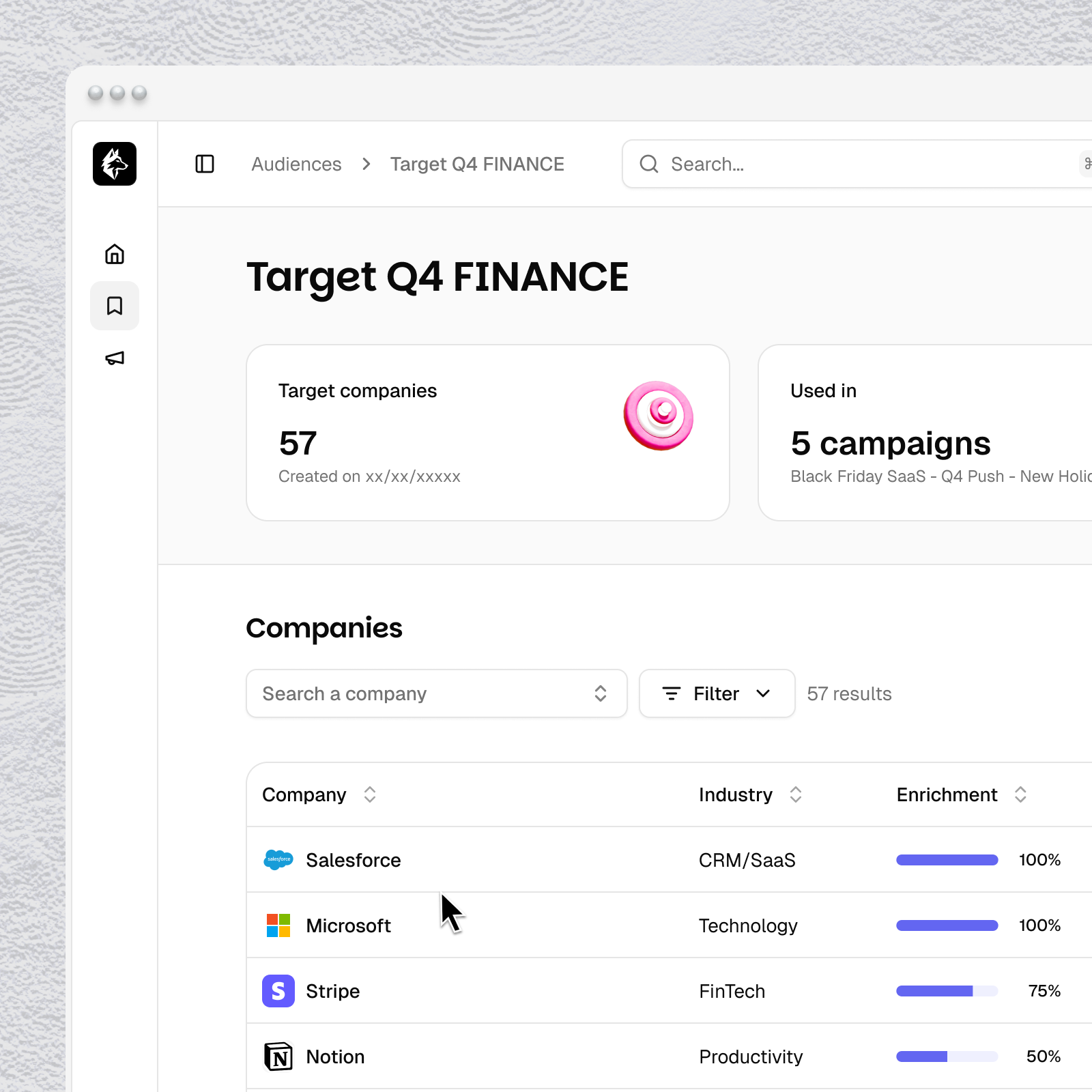
Click any audience name to open its detail page. You'll see two summary cards at the top:
Targets — number of companies in the list and creation date
Used in — number of campaigns currently using this audience
Below that, the Companies table shows every company in your audience with:
Company — name and logo
Industry — auto-enriched industry classification
Enrichment — Tinct's data coverage for that company
Tag — intent signal tag (Hot, Warm, Cold, or No tag). To manually tag targets.
Campaigns — how many campaigns this company appears in
Company actions
Click the three-dot menu next to any company to:
Copy Company ID — copies the company's unique Tinct ID
Remove from audience — removes this company from the audience. This affects all campaigns using this audience.
Audience-level actions
Click the three-dot menu in the top right of the audience page to:
Rename — change the audience name
Delete — permanently delete the audience. This cannot be undone and will affect any campaigns using it.
Was this helpful?
Still need help? Share an idea