Verify your email domain
Prove that your company owns an email domain with a DNS TXT record, so single sign-on can cover it.
Last updated 11 days ago
Part of Single sign-on (SSO) for your workspace — step 1 of 3.
A single sign-on connection only authenticates addresses on domains your workspace has proven it owns. You prove a domain by publishing a TXT record with your DNS provider.
You must be an admin of the workspace, and you need access to your company's DNS. For the whole picture, see Single sign-on (SSO) for your workspace.
Add the domain
- Go to Settings → Security, to the Verified domains card.
- Type your company's email domain —
acme.com, the part after the@— and click Add domain. - The row appears with a Pending badge and the record to publish: its Type, Name and Value. Copy them.
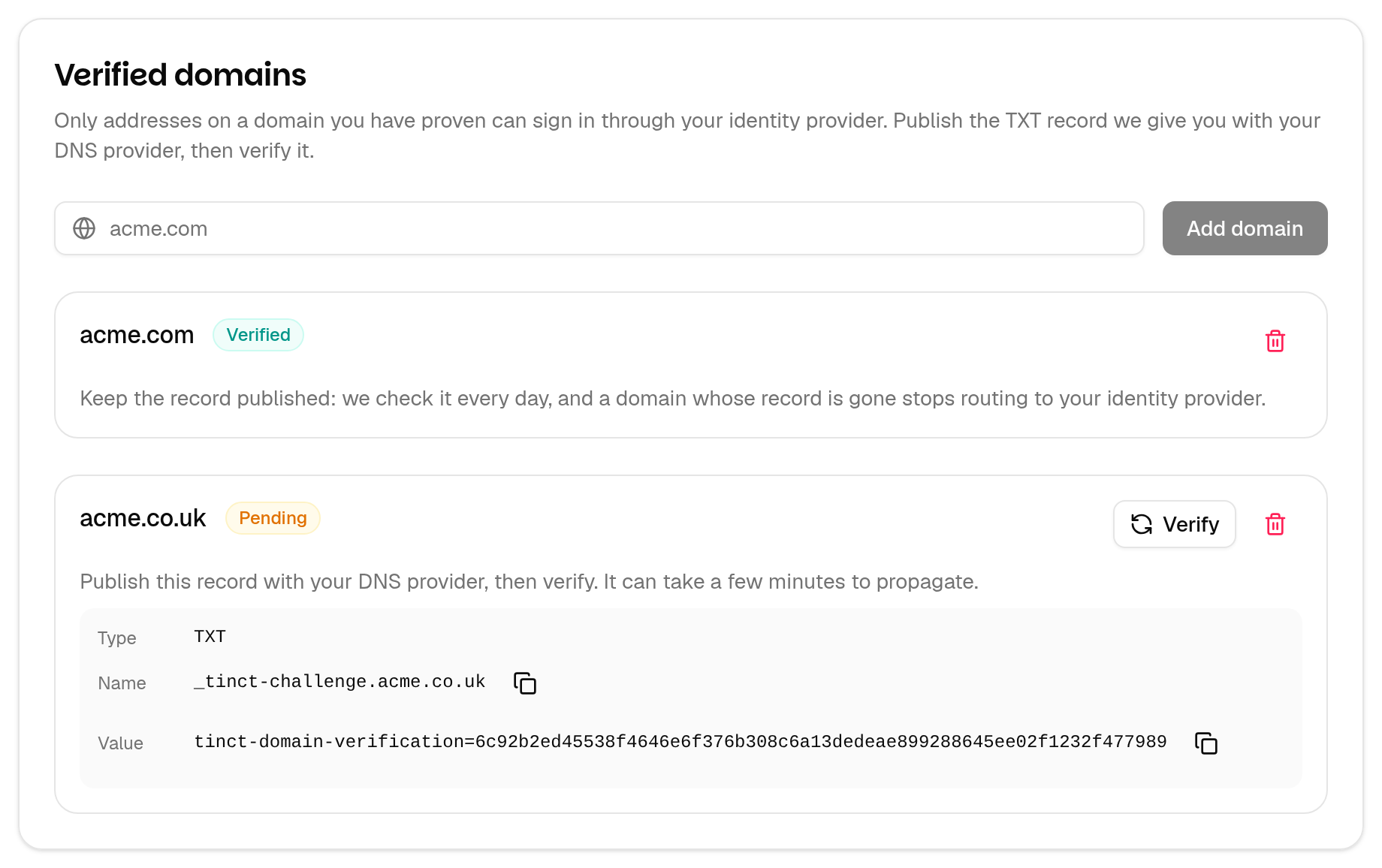
The record is always a TXT record, named _tinct-challenge. followed by your domain, whose value starts with tinct-domain-verification=.
Publish the record
- In your DNS provider's console, add a TXT record with the Name and Value Tinct shows.
- Some consoles expect the name relative to the zone: if your zone is already
acme.com, enter_tinct-challengeinstead of_tinct-challenge.acme.com. - Save, and leave the record published — Tinct keeps checking it (see below).
Verify it
Back on Settings → Security, click Verify on the row. The badge turns Verified.
💡 A new DNS record can take a few minutes, sometimes a few hours, to become visible. If Tinct says the record was not found, wait and click Verify again — nothing is lost and nothing counts against you.
Two other answers mean something different:
- "The DNS could not be queried … right now" — your DNS did not answer at all. Nothing was changed; try again in a moment.
- "… is already verified by another workspace" — a domain belongs to exactly one workspace at a time. Ask whoever set up that workspace, or contact support@tinct.ai.
Which domains you can claim
- Your company's own domains. A workspace can hold up to 50.
- Subdomains count as separate domains. Verifying
acme.comdoes not covermail.acme.com: claim it too if people sign in with addresses on it. Subdomains are often delegated to somebody else, so proving the parent does not prove them. - Public and shared email providers are refused —
gmail.com,outlook.com,yahoo.comand thousands of others, including anything under them. Verifying one would hand you every address of everybody who uses that provider, so Tinct refuses it: "… belongs to a public email provider and cannot be used for single sign-on." - Names nobody can own are refused too, such as a public suffix like
co.uk: "… is not a domain a company can own."
Keep the record published
Tinct checks every verified domain once a day.
- The first day the record is missing, your workspace admins get an email, The DNS record of <domain> is missing. The domain stays verified.
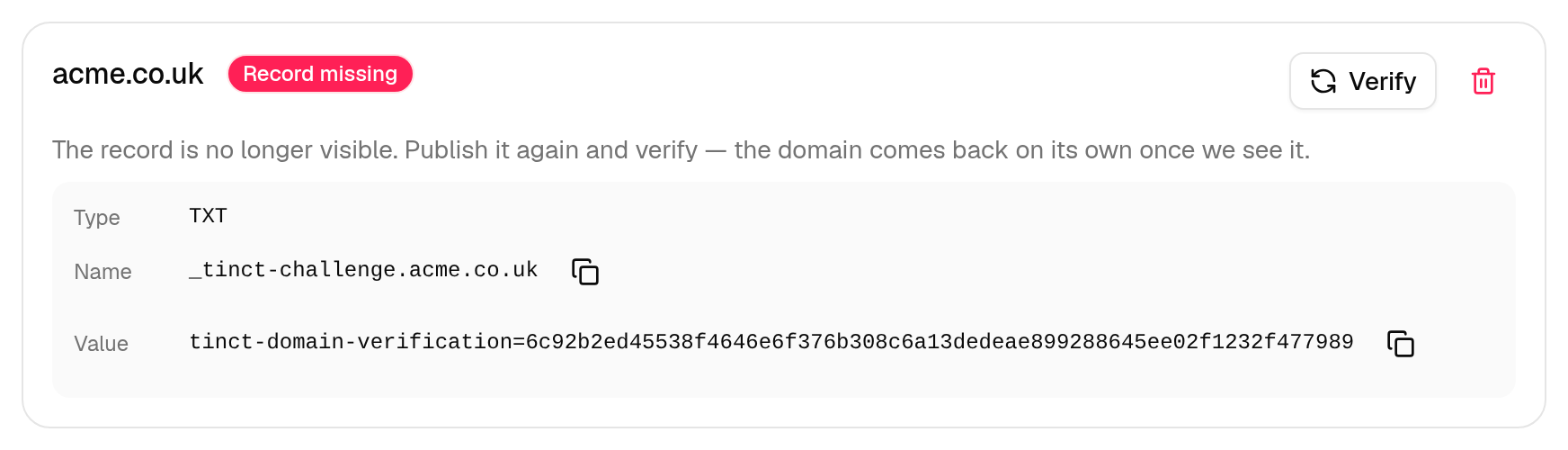
- After three checks in a row without it, the domain is suspended: the badge reads Record missing, and the admins get <domain> is suspended for single sign-on. Addresses on it stop being routed to your identity provider until it is back.
- Put the same record back and the domain verifies itself again at the next daily check — the token never changes and there is nothing to click. You can also click Verify to get it back straight away.
A suspended domain does not change your connection: everything resumes on its own once the record is visible again.
Remove a domain
Click the bin icon on the row and confirm. Addresses on that domain stop being routed to your identity provider.
💡 Removing the last verified domain of a connection that is enabled or required sends it back to the Tested stage: single sign-on stops for everybody, the requirement is lifted and your admins are emailed. Verify another domain, then enable the connection again.
FAQ
Can two workspaces share a domain?
No. The first workspace to verify it holds it. If that workspace stops publishing the record and the domain is suspended, another workspace that proves the domain in its own DNS takes it over.
Does the record have to stay published for ever?
Yes, for as long as you want the domain verified. The daily check is what keeps a domain that was sold or given up from routing your people to a provider you no longer control.
Who can see the record?
Only workspace admins see the domain list and its tokens. The value is published in your public DNS anyway, so it is not a secret.
Was this helpful?
Still need help? Share an idea