Importing companies via CSV
Last updated 6 months ago
CSV import is an easy way to bring your target account list into Tinct — whether you're pulling it from your CRM, your sales team's spreadsheet, or your LinkedIn Ads company list.
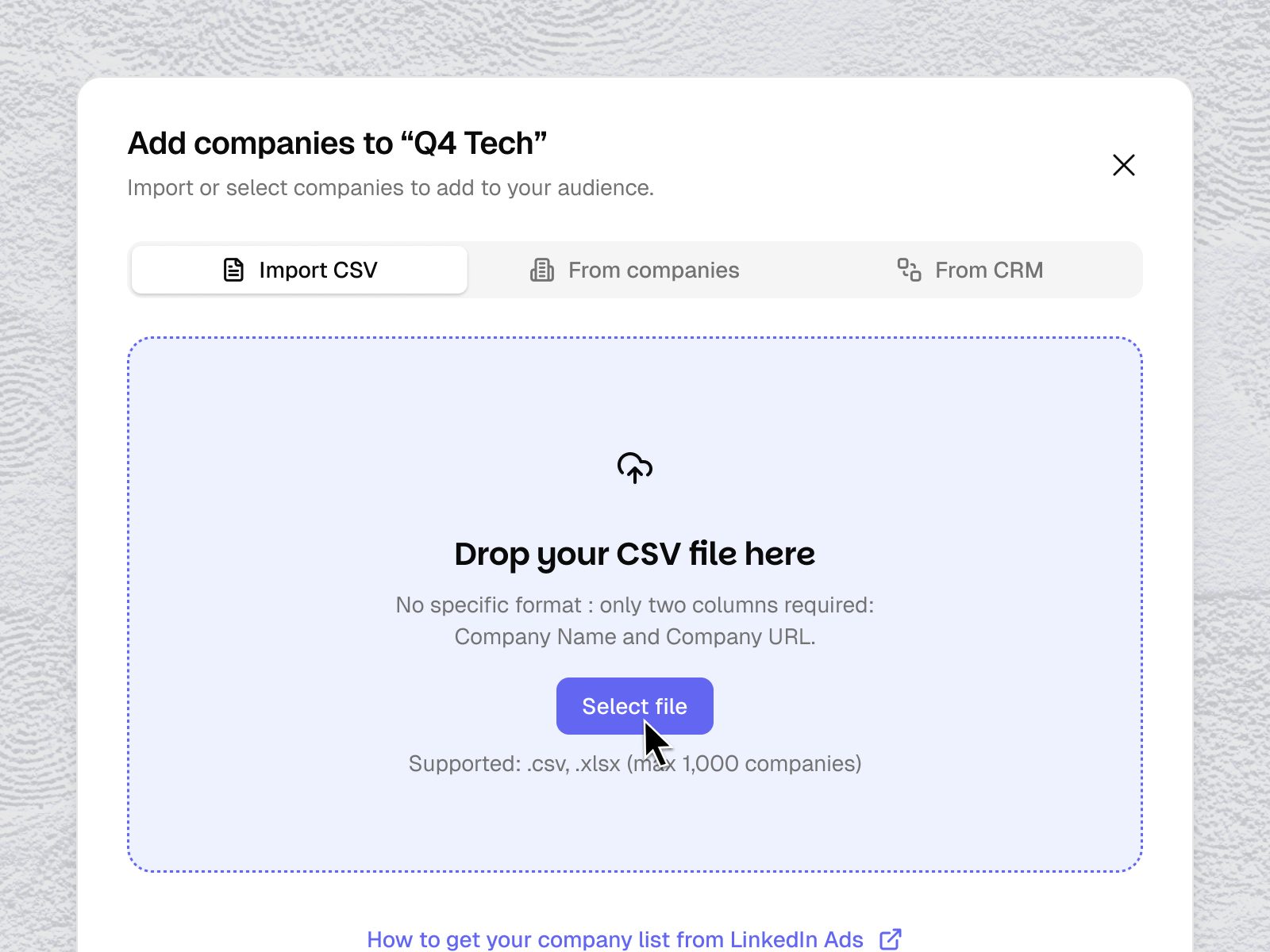
How it works
From the + Add companies flow, select Import CSV and upload your file. Tinct automatically analyzes your file and maps your columns to the required fields using smart field mapping — no need to reformat your spreadsheet manually.
Required fields
Your CSV must contain at least:
Company Name — the name of the company
Company URL — the company's website (e.g.
aircall.ioorhttps://www.aircall.io)
All other columns are optional.
Before you import
Tinct confirms the count before you click Import. Take a moment to review that the column mapping looks correct — especially if your CSV uses non-standard column headers.
After import: automatic enrichment
Once imported, Tinct automatically enriches each company with business context — industry, size, activities, pain points… — so the personalization engine has everything it needs to generate relevant variants for each visitor.
This enrichment runs in the background. You don't need to wait for it to complete before moving on.
Tips for a clean import
Use one row per company
Make sure URLs are valid and consistent
Avoid duplicate entries — Tinct flags companies already in your audience, but cleaning duplicates beforehand keeps your audience tidy
Where to get your CSV
Common sources:
Your LinkedIn Ads company list → How to export your company list from LinkedIn Ads
A spreadsheet from your sales or marketing team
Your CRM. You can also connect your CRM directly to Tinct.
Was this helpful?
Still need help? Share an idea