Changelog

Follow new updates and improvements to Tinct.

Run your campaigns from Claude with the Tinct MCP server
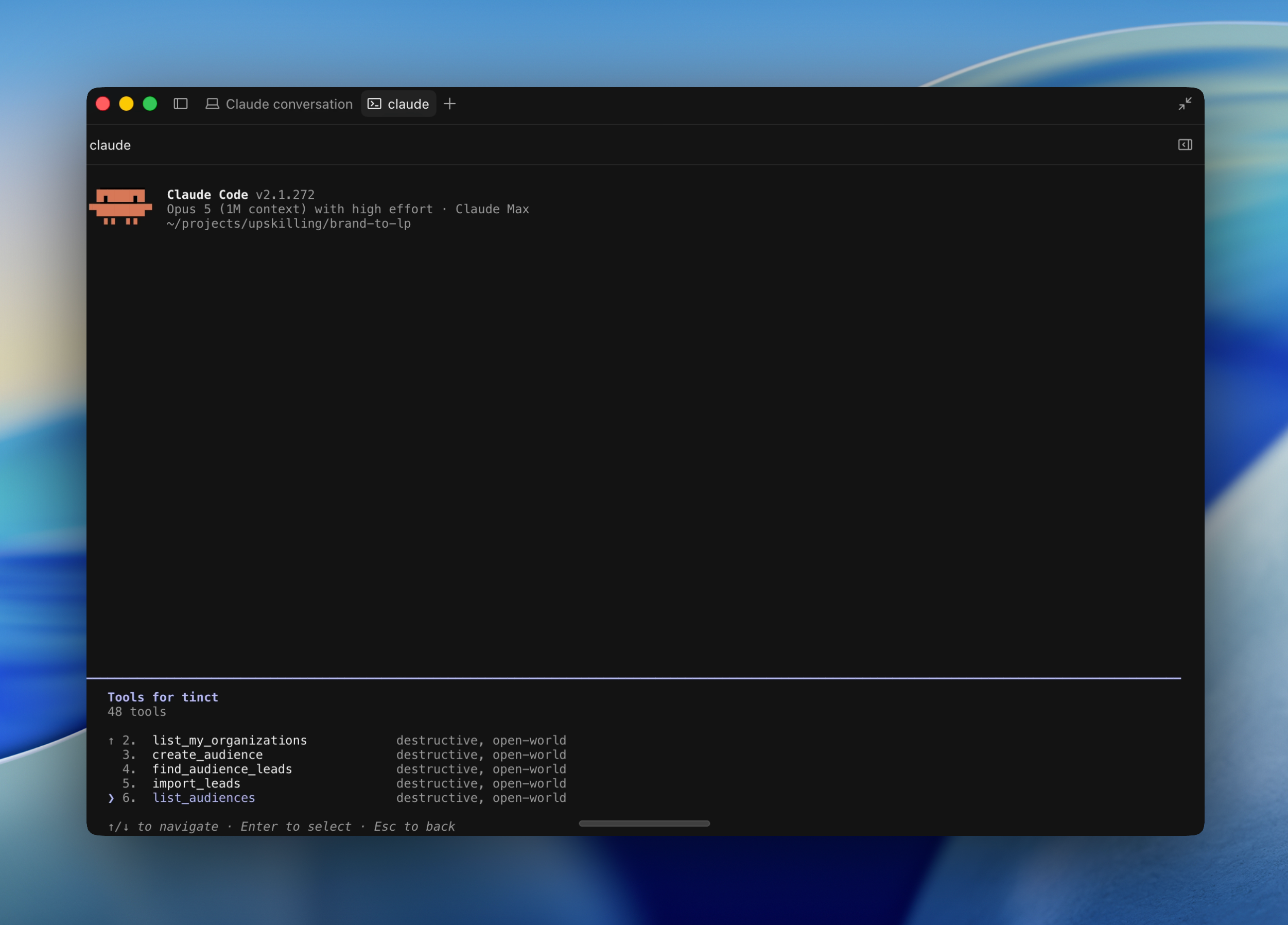
For anyone using Claude, Claude Code or another MCP-capable assistant. Sign in with your Tinct account, no API key.

Tinct now speaks MCP, the protocol AI assistants use to work with other tools. Connect once, then describe the campaign you want in plain language. Your assistant creates it, generates the pages, lets you review them in the Studio and publishes them, with your own Tinct account and permissions.

Connect in two minutes.

In Claude, go to Settings → Connectors → Add custom connector, name it Tinct and paste the server URL.

In Claude Code, run one command:

claude mcp add --transport http tinct https://api.tinct.ai/mcp

Your browser opens Tinct's sign-in page, you click Allow, and the tools are available. No key to create, nothing to store. Any client that supports the MCP streamable HTTP transport with OAuth sign-in works the same way.

What you can ask for. The server exposes 41 tools covering the whole workflow:

  • Extract your brand from your website.

  • Create a campaign from a URL (personalize an existing page)

  • Build the audience: import companies by domain, check for conflicts with other campaigns, generate a five-page sample.

  • Generate every page variant, open the Studio link to review them, publish, and export the per-company links to send.

  • Edit a generated page section by section: rewrite, redesign, move, duplicate, remove, with a version history.

  • Manage the customers library used by your logo walls, and refresh the logos of a campaign without spending credits.

Try: "Personalize https://acme.com/saas for this 20 target accounts list", or "Add stripe.com and notion.so to our customers and refresh the logos of the Saas campaign".

Built to be trusted with a live site.

The assistant acts as you, with the role you have in the workspace, and nothing more. Nothing is generated or published until you have confirmed the summary. Links are only handed over once the page is live and the snippet is detected on it, so you never get a link that shows nothing. Audience conflicts stop the process before anything changes. Access expires after 15 minutes and renews silently for 30 days; disconnect anytime from the assistant.

MCP or service accounts?

MCP is for a person working through an assistant, with their own login. Service accounts remain the way for your pipelines and CRM syncs to call the REST API with fixed permissions.

Available now for every workspace.

Read the docs and connect your assistant: https://api.tinct.ai/public/docs/mcp
Show each target the customer logos they will recognize

For any page with a logo wall. Configured from the logo block in the Studio.

Your logo wall is the same for everyone. A fintech in Berlin lands on your page and sees the US retailers you are proud of, none of which tells them you understand their world.

Import your customers once.

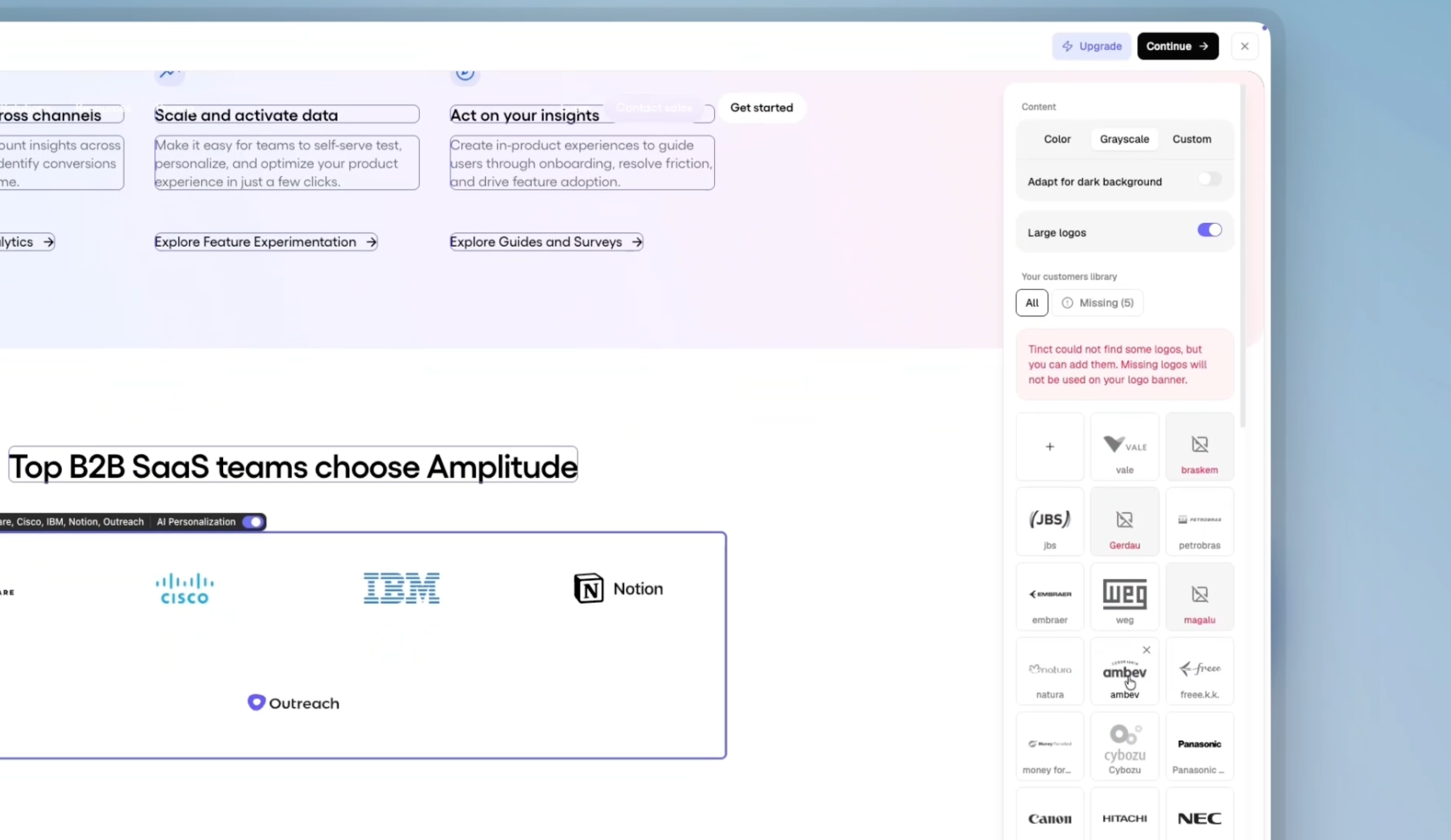
Select your logo block in the Studio and click "Add customers".
Bring them from a CSV (up to 1,000 companies), pick them from the companies Tinct already knows, or pull a list from HubSpot, Salesforce or Attio.
Tinct fetches each logo in color, greyscale, light and dark versions.
Not happy with one? Upload your own (PNG or SVG, 512 px minimum).

Tinct picks the logos for each account.

For every target account page, Tinct ranks your library on three signals:

  • the industry

  • the notoriety

  • the geographical area

A well-known brand travels everywhere; a small local one stays with visitors from its region, and more so in consumer or regulated industries.

It stays your design.

Tinct fills the slots your logo row already has, at the sizes your design uses, and keeps your carousel animation running. Choose Color, Grayscale or a Custom fill color (white logos on a dark section, for instance), tick "Adapt for dark background" or "Large logos". Tinct pre-selects these from what it sees on your page. The banner reflows on its own: one row on desktop, a four-column grid on tablet, two columns on phone.

And it stays in sync.

Remove a customer from the library and every page still showing it is marked Outdated and regenerated. Publishing waits until an import has finished. You can hand-pick the logos of any single page from its sidebar, and a page with no customer selected keeps its original logos.

Available now on every new campaign where Tinct identified a customer logo row. The library is shared across the campaigns of a workspace, so import once.

The Studio : Edit, preview, refine your pages

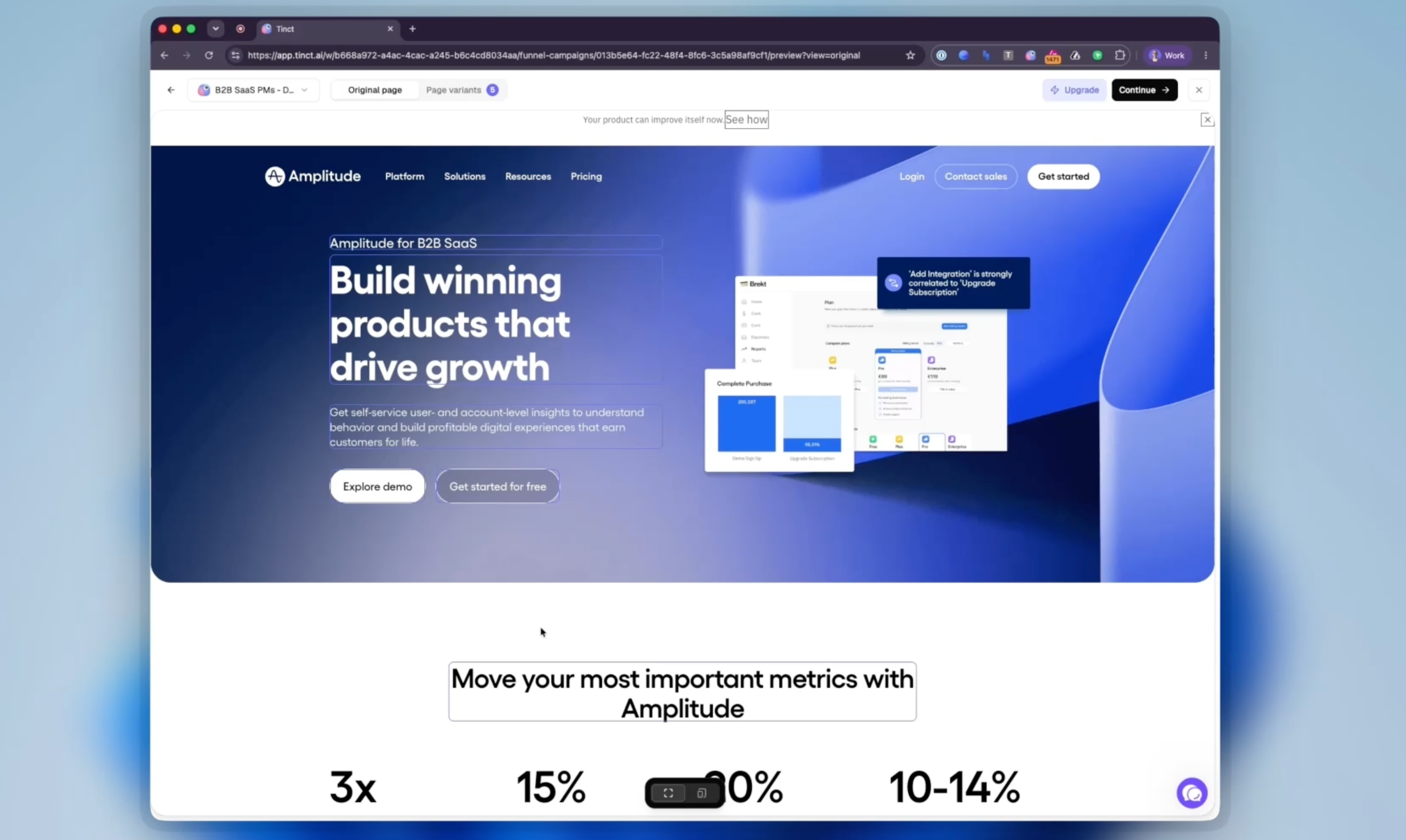
Until now, editing your page and checking the result lived on two screens. You changed a block in the editor, moved to the preview step to see what Tinct generated for each account, then went back. The Studio is one screen for both, and it shows every screen size at once.

Two tabs, one page.

  • "Original page" shows your page as Tinct captured it. This is where you decide which blocks get personalized and give Tinct its instructions.

  • "Page variants" shows every generated page, one per target account, in the same canvas.

Pick a page in seconds.

A panel on the left lists your Generated pages and your Target accounts, with search and a status filter. Each row carries its own actions.

Point at a block, then ask.

Select any block and it appears as a chip on your chat message : "Make this headline shorter". You choose whether the change applies to this page only or to all pages. Applied to all, Tinct learns the rule, lists it under "Campaign instructions" and regenerates the other page variants.

Type straight on the page.

Pick the Text tool in the bottom toolbar, click into any personalized text and type. Click away or press ⌘/Ctrl+Enter to save, Escape to cancel. The block pulses while Tinct saves it. This kind of edit changes that page only; ask the chat if you want it to become a rule.

Desktop, tablet and phone side by side.

Top right of the canvas, switch from "Single view" to "Canvas". Up to three artboards appear next to each other, Desktop, Tablet and Phone, each labelled with its pixel width. They are your page rendered at that exact width with the personalization applied, not screenshots, so a headline that wraps into three lines on a phone is visible before anyone sees it live. Blocks are selectable on any artboard. Pan with the trackpad, zoom with ⌘/Ctrl+scroll or a pinch, and use "Fit to view" to come back. Your choice of view is remembered.

Everything personalized by default.

Every block Tinct identified is now personalized without you switching it on, and variants are generated for all of them. Flip "Personalize with AI" off on the Original page to keep a block untouched. Click a block to see its badge, what Tinct understood, and the Original vs Personalized content side by side.

Publish from where you are.

"Review & publish" sits in the Studio header. Individual variants publish, unpublish or get excluded straight from the panel.

Available now on every campaign: as the "Preview & Refine" step when you create one, and under Studio on any existing campaign. Outdated pages regenerate on their own when you open the Studio, as long as your credits cover it.

Earlier updates